
Add LegalScapes To Your WordPress Site
- Log in to your WordPress website. When you’re logged in, you will be in your ‘Dashboard’.
-
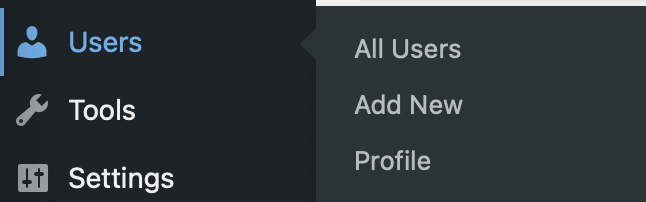
On the left hand menu, click Users > Add New.
- Fill out the form with the following settings and set the role to Administrator.
- Username: lsadmin
- Email: analytics@legalscapes.com
- First Name: LegalScapes
- Last Name: Admin
- Role: Administrator
- Set a secure password
- At the bottom of the form, click the ‘Add New User’ button.
That's it! You don't need to send us the password - we'll go in, reset it to something secure, and document it in our password management system when we get the notification of account creation.