
Import Existing Contacts Into LawAmp
Streamlining your outreach starts with importing your contacts. Follow these straightforward steps to ensure a smooth import:
- Navigate to Contacts.
-
Click Import Contacts (the icon looks like a downward arrow pointing into a box).

-
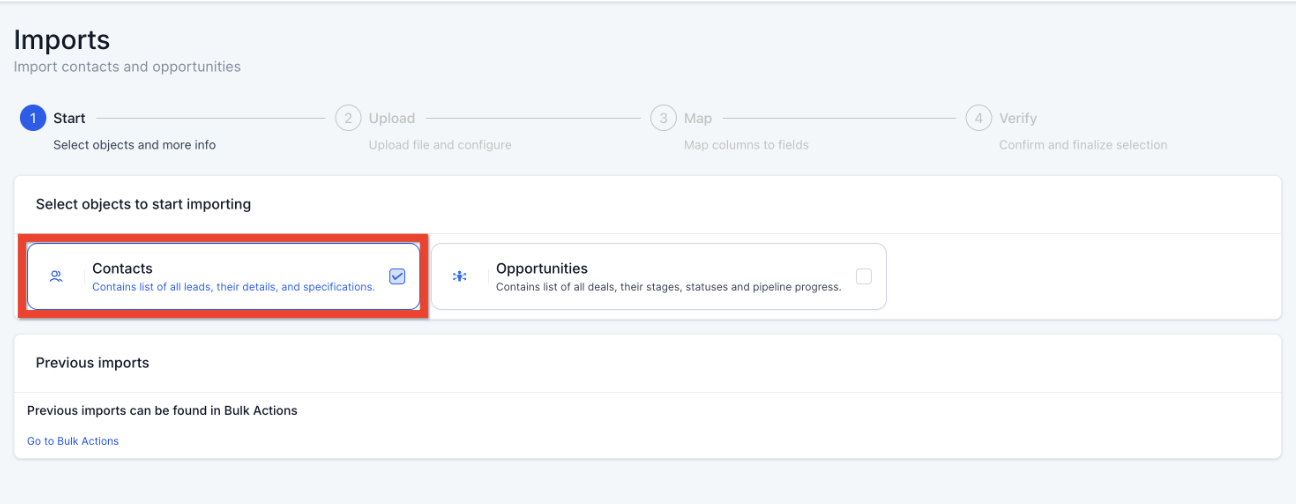
Select Contacts and click Next
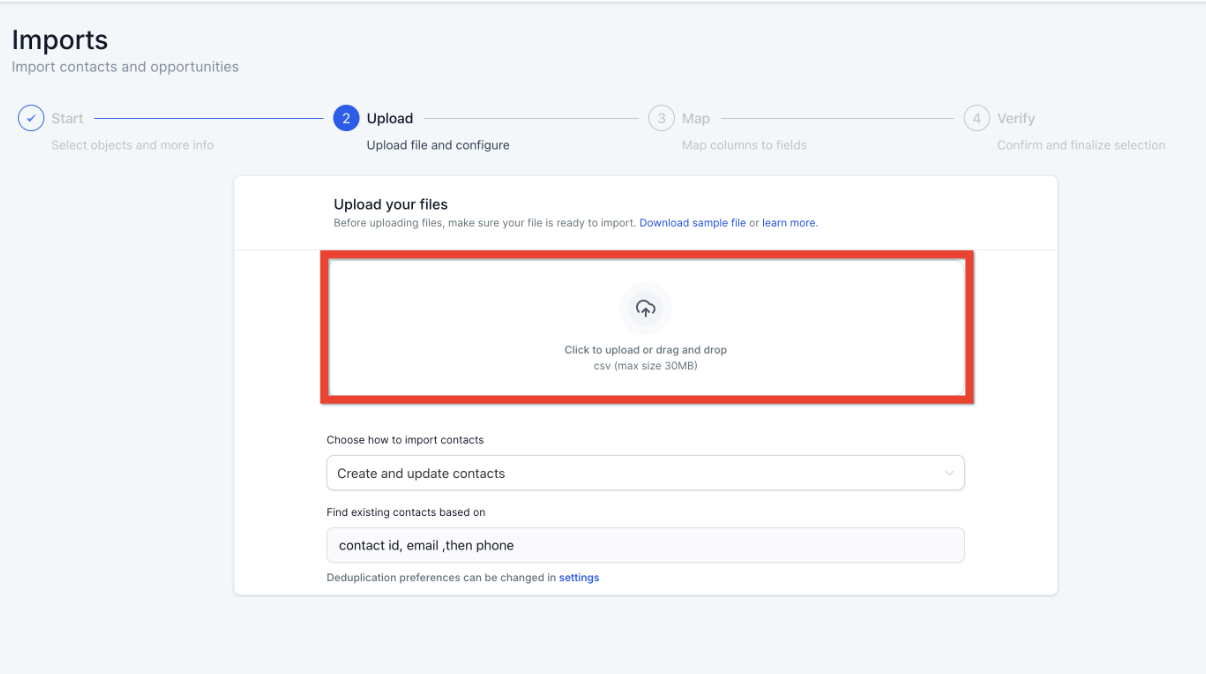
- Confirm your file format.
-
Upload your file (CSV files up to 50MB).
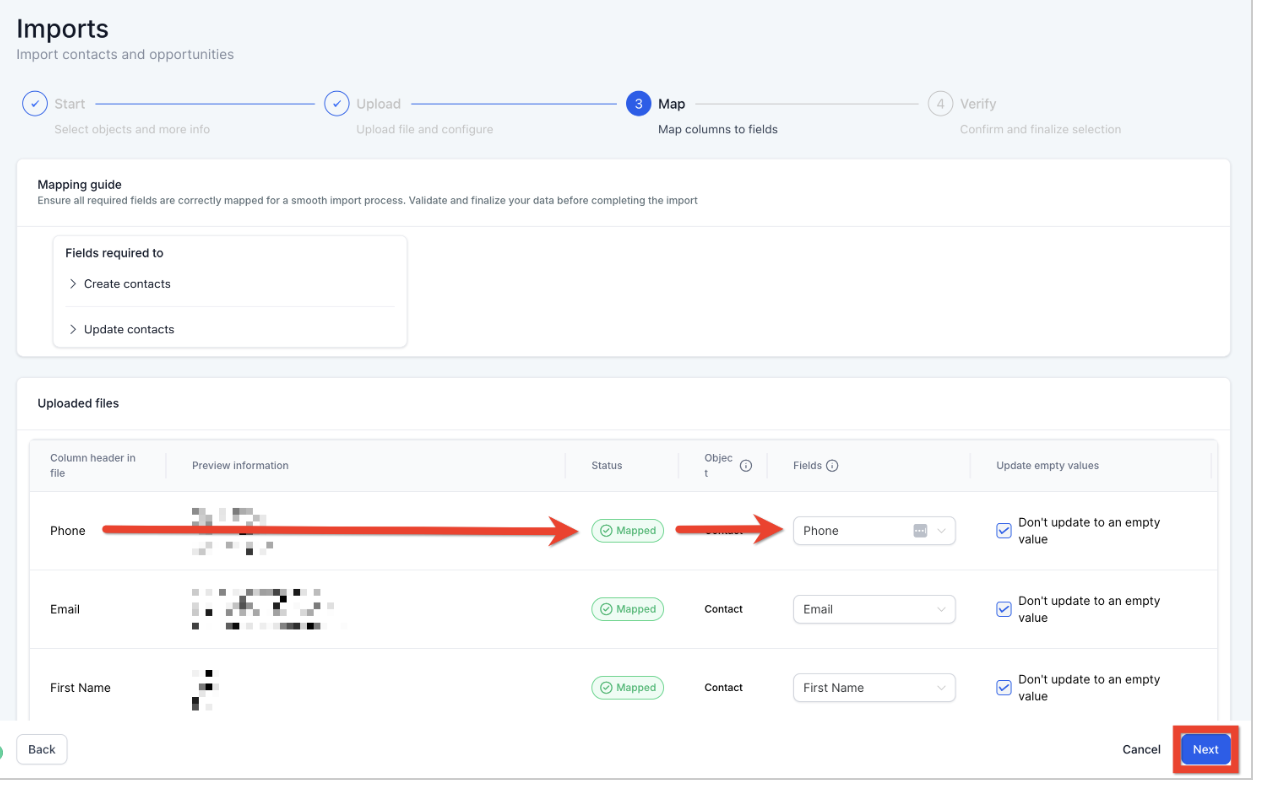
- Map your file columns to corresponding Contact fields.
- If you have non-standard data, create a new custom field.
-
Or select "Don't import data in unmatched columns".
- Fill in the import details (name your import, create lists, set consent preferences, etc.) and click Bulk Import.
